
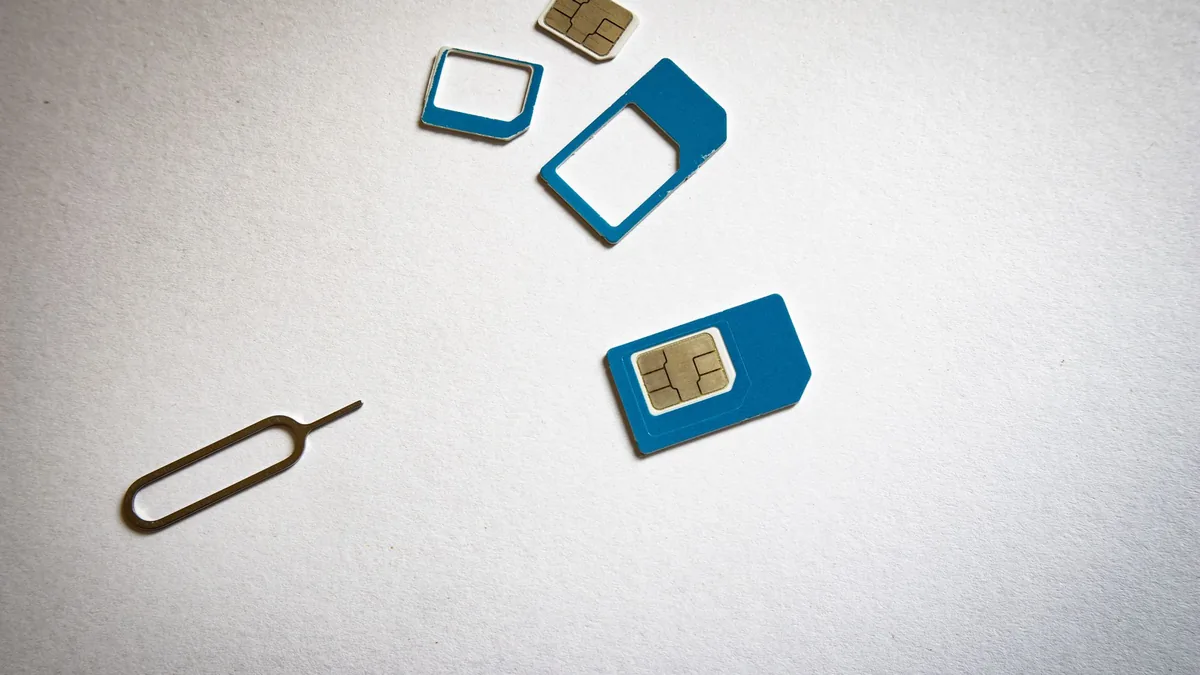
Yes. If you are asking "is eSIM available in Pakistan", the short answer is that Jazz, Zong and Ufone all publish eSIM pages and sell eSIMs through their own service centres and franchises. The catch for visitors is that none of them is a download-before-you-fly product. Each network says biometric verification is mandatory before activation, you are handed a voucher with a QR code, and you scan it in your phone's settings. So a Pakistani eSIM is something you set up after landing, in person, not in a departure lounge at Heathrow.
That matters for the airport pickup: on arrival, the only number that works is your UK one, on roaming. This guide turns that gap into a simple plan: which number the driver rings first, who picks up if you do not, and how your UK line and a new Pakistani line can live side by side on one phone for the whole visit.
What the networks actually offer
Here is what each network's own eSIM page said when we checked. Charges and handset lists change, so treat the figures as a snapshot and confirm on the linked page before you go.
| Network | How you get it | Charge listed on the network's page | Notes from the page |
|---|---|---|---|
| Jazz | Jazz Experience Centre, franchise or eligible retailer; QR voucher | Rs 1,500 (standard number charges extra) | Physical SIM for that number is deactivated once the eSIM is active; a factory reset loses the eSIM and means registering again |
| Zong | Customer Service Centre or franchise; "Book Your Number" or convert an existing Zong number | Rs 1,500 at service centres | Existing services and tariffs carry across when you convert |
| Ufone | Service centres, franchises or 24/7 self-service booths; QR code issued in store | Rs 1,500 to convert, Rs 2,000 for a new number | Carrier-locked handsets are not supported; Apple Watch not supported |
Sources: Jazz eSIM, Zong eSIM and Ufone eSIM.
Which network provides eSIM in Pakistan for a short visit?
People search "which network provide esim in pakistan" hoping for one winner. There isn't one we can honestly name, because coverage depends on where your family lives, and the right answer is often "whichever network your relatives already use". Two practical tie-breakers:
- Ask the household. If your parents, cousins and the neighbour who holds the spare key all use the same network, joining it keeps calls between you on one network and makes it easier for them to help you top up.
- Check the franchise near you. You need a physical outlet for the biometric step. A counter near the family home, open on the day you arrive, is worth more than a marginally better data bundle.
Telenor is the fourth major operator. We could not confirm its current eSIM terms from an official page, so we are not quoting them here. If Telenor is the family network, ask at a Telenor outlet.
Can you get an eSIM in Pakistan with your number from home?
Search results for "esim pakistan with number" tend to blur two different things:
- Converting an existing Pakistani number to eSIM. If you already hold a Pakistani number in your name, Jazz, Zong and Ufone all describe converting it, with your services carried across.
- Keeping your UK number. Your UK number stays with your UK provider. A Pakistani network cannot port it. What you can do is run both at once, which is where eSIM earns its keep.
Two numbers, one phone: how it works
Many recent phones hold a physical SIM and an eSIM, or two eSIMs, at the same time. Apple's guide to Dual SIM with eSIM describes exactly the travel case: keep your usual number and add a local data plan. You can label each line (for example "UK" and "PK"), pick which one is the default for calls and which one carries mobile data, and both numbers can receive calls.
For a visit to Pakistan, a sensible set-up looks like this:
- Line 1, UK: stays switched on for calls and texts, so bank codes and family messages from home still arrive. Turn off data roaming on this line unless you have checked your UK provider's roaming charges for Pakistan.
- Line 2, Pakistan: carries mobile data and becomes the number you give local people: the driver, the wedding caterer, the shop delivering the sofa.
- WhatsApp: stays on the number it is already registered to. You do not need to move it to your Pakistani number, and moving it just for a three-week trip usually creates more confusion than it solves.
One check to make before you fly: Ufone's page says carrier-locked handsets are not supported. If your phone came on a UK contract, confirm with your UK provider that it is unlocked. That is a five-minute call in the UK and an afternoon's frustration in a Pakistani franchise.
The PTA rule that catches visitors out
Pakistan runs a device registration system, DIRBS, operated by the Pakistan Telecommunication Authority. Its purpose is to make sure only compliant handsets work on local networks. The part that matters to you is on the DIRBS FAQ page:
- A phone that has not been registered receives service on Pakistani networks for its first 60 days, with no tax or registration needed in that window. After that, it stops getting service on local networks unless it is registered and any duties are paid.
- Overseas Pakistanis and foreign nationals on a short visit can apply for temporary registration valid for 120 days from their date of arrival, checked against passport data.
- Temporary registration asks for your passport number, CNIC or NICOP (foreigners do not need one), a local Pakistani SIM number issued in your name, the device IMEI, an email address and your travel dates.
- You can check a phone's status by texting its 15-digit IMEI to 8484.
- The DIRBS site notes that the registration facility is available only from inside Pakistan.
What this means in plain terms: for a two- or four-week family visit, the 60-day window usually covers you without any paperwork. If you are staying longer, for a wedding season, a long stay with elderly parents or a work posting, plan the temporary registration or the duty route early rather than finding out when the phone goes quiet in week nine. Duties and procedures are set by the authorities and can change, so check the PTA and FBR guidance for your own case.
Keep the UK number alive for bank codes
The reason not to abandon your UK number is dull and important: if your bank, card provider or other accounts send one-time passcodes by text, they send them to the number registered with them, not to whatever SIM you happen to be using. Change the SIM in your only phone, or let the UK line lapse, and you can find yourself locked out of your own banking from a relative's sitting room in Gujranwala.
A few habits that save grief:
- Keep the UK SIM or eSIM in the phone and switched on for calls and texts, even if you turn its data roaming off.
- Check with your UK provider what receiving texts and calls in Pakistan costs on your plan. Do not assume a bundle that covers a trip to Spain also covers Pakistan; ask.
- Set up your bank's app-based approval before you travel, if your bank offers it, so you are less dependent on SMS.
- Do not let the UK line expire. If yours is a pay-as-you-go line, check your provider's rules on inactivity and top it up before you leave.
The family contact tree for the driver
A driver waiting at arrivals has one job with the phone: reach someone who can make a decision. The usual snags are not dramatic. The flight lands early, immigration is slow, a bag goes missing, the passenger's phone is still in flight mode, or the one number on the booking belongs to someone asleep in Birmingham. A contact tree fixes that with three names, in order.
Contact 1: the passenger
- Which number: the UK number, because it works from the moment the phone is switched on after landing. The Pakistani number does not exist yet on arrival day unless you already hold one.
- What they do: switch off flight mode as soon as the doors open, send a short WhatsApp message ("Landed, in immigration") to the driver or the booking contact, and ring back if they miss a call.
Contact 2: someone awake and local
- Which number: a relative in Pakistan on a local number, ideally the person at the destination address.
- What they do: answer calls during the arrival window, confirm the drop-off address and give directions to the gate or the lane in their own words. This is the person who knows that the house is "behind the petrol pump, second turning after the mosque".
Contact 3: the organiser abroad
- Which number: the person who made the booking, often a son or daughter in the UK or the Gulf, on their home number.
- What they do: make decisions if one and two are unreachable, and keep everyone informed on the family WhatsApp group.
Write the tree down in the booking notes in that order, with a name, relationship and number for each. Tell each person they are on the list and what time the flight lands. For more on the arrival-night version of this, see our late-night arrival contact plan, and if you are arranging the ride for elderly relatives rather than yourself, arranging an airport pickup for parents while you are abroad covers the extra handover steps.
A worked example (hypothetical)
To make the tree concrete, here is an illustrative family, not a real booking:
| Order | Name and role | Number to use | When they are needed |
|---|---|---|---|
| 1 | Ayesha, passenger | UK mobile, +44 format | From landing until she meets the driver |
| 2 | Tariq, brother at the house | Pakistani mobile, +92 format | If Ayesha does not answer within a few minutes, and for directions near the house |
| 3 | Imran, booked it from Manchester | UK mobile, +44 format | If neither of the above answers, or a decision is needed |
On the second day, Ayesha gets a Pakistani eSIM at a franchise near the house. From then on, she adds her new +92 number to any later bookings, such as a day trip or the return run to the airport, and keeps the UK number as the backup.
WhatsApp or a normal call?
Both have a place, and it helps to decide in advance which one each person should use.
WhatsApp works well for:
- The "landed" message, a photo of the terminal door you are standing at, or a shared live location.
- Calls when the passenger's UK line has data but ordinary roaming calls are expensive.
- The family group, so everyone sees one update rather than five people ringing the driver.
A normal phone call works better when:
- The passenger is still inside the terminal and mobile data is slow or not yet connected.
- The person being called is an older relative who answers the phone but rarely opens WhatsApp.
- Something needs a quick human decision, such as "the car is outside Gate 3, can you walk to it or should we come in?"
A simple rule for the tree: text on WhatsApp first, then ring the ordinary number if there is no reply. And put a note on the booking saying which of your numbers has WhatsApp, because it will not always be the one your phone shows as the "main" line.
A reminder that applies across Pakistan: the UK FCDO notes that during protests or civil unrest, mobile data and internet may be cut without warning. A contact tree that includes at least one ordinary voice number, rather than relying on WhatsApp alone, keeps working when data does not. Read the full FCDO Pakistan travel advice before any trip, including its regional warnings.
Write every number in international format
This sounds fussy until a driver in Lahore tries to ring a UK number written as 07700 900123 and gets nowhere. WhatsApp's own guidance on international phone number format sums it up: a plus sign, then the country code, then the number, with any leading zero removed.
| How people often write it | How to write it on the booking |
|---|---|
| 07700 900123 (UK mobile) | +44 7700 900123 |
| 0300 1234567 (Pakistani mobile) | +92 300 1234567 |
| 0044 7700 900123 | +44 7700 900123 |
The numbers in the table are illustrative, not real contacts. Three small checks before you submit a booking:
- Every number starts with +. No 00, no leading 0.
- Each number has a name and role beside it. "Tariq (brother, at house)" tells the driver far more than a bare number.
- You have tested the local number. Ask the relative to send a WhatsApp from it and ring it once, so you know it is the current one and not the SIM they stopped using last year.
Physical Pakistan travel SIM card or eSIM?
If your phone does not support eSIM, or it does but you would rather keep things simple, a physical Pakistan travel SIM card from the same networks does the same job. The biometric check still applies, so the outlet visit is the same either way. The choice comes down to your handset and your habits.
| Situation | Physical SIM | eSIM |
|---|---|---|
| Older phone or one not on the network's supported list | The only option | Not available |
| Phone has one SIM tray and you need the UK line active | You would have to swap cards and lose the UK line while the Pakistani one is in | Keeps the UK SIM in the tray and adds the Pakistani line alongside |
| You plan to factory reset or change phones mid-trip | Move the card across | Jazz says a factory reset loses the eSIM and needs re-registration, so another outlet visit |
| Carrier-locked UK handset | Unlikely to work either way until unlocked | Ufone lists carrier-locked phones as unsupported |
For most visitors with a recent, unlocked phone, the eSIM wins on one point alone: you never have to take the UK SIM out, so it cannot get lost in a hotel drawer in Islamabad.
Relatives calling from the UK
The other half of the family is at home. When they ask which is the best SIM card to call Pakistan from UK, there is no single answer we can responsibly give, because international call add-ons and inclusive minutes vary by provider and change often. What we can say is practical:
- Check the plan the relative already has. Some UK plans include or sell international minutes; ask the provider what calls to Pakistani mobiles cost on that plan.
- Use WhatsApp calls where both ends have data. It sidesteps per-minute international call charges, though it uses data at both ends.
Before you fly, on landing, and during the visit
A week before departure
- Confirm with your UK provider that your phone is unlocked and check the roaming prices for Pakistan on your plan.
- Check your handset is on the eSIM list of the network your family uses.
- Keep your passport and, if you have one, your CNIC or NICOP in your hand luggage for the biometric step. Foreign nationals should ask the network which documents it accepts.
- Put the three-person contact tree, in +44 and +92 format, into your booking notes. Our UK departure checklist for your airport pickup lists the other details the booking team will ask for.
On landing
- Turn off flight mode as the aircraft reaches the gate.
- Send "Landed" to contact two and to the driver or booking contact.
- Keep the UK line switched on for calls and texts. Leave data roaming off unless you have checked the price.
- If you cannot get data, ring rather than wait for WhatsApp to connect.
In the first few days
- Visit a franchise near the family home for the biometric check and eSIM or SIM.
- Label the two lines on your phone and set the Pakistani line for data.
- Tell the family group your new +92 number, and add it to any later bookings.
- Text your phone's IMEI to 8484 if you want to confirm its registration status, and note the date so you know when the 60-day window runs out if you are staying long.
If the trip includes Umrah or a Gulf stop
Plenty of families combine a visit to Pakistan with Umrah, or fly in via Jeddah, Dubai or Doha. That means a third network, and the same logic applies: keep the UK line alive for codes, add a local line for data, and give each driver a tree of three numbers in international format. The Saudi end has its own rules on SIMs and data, which our sister company Hajj Umrah Taxi covers in its guide to SIM cards and data for pilgrims arranging transport on arrival. On a multi-country trip, update the contact tree on each booking, because a Saudi number that worked in Makkah will not help a driver in Sialkot a week later.
Next steps
If you want to see how the arrivals meeting itself works at the terminal, iDrive, the network behind Pakistan Taxi, has a useful walk-through on meeting family at Islamabad or Sialkot airport.
When your numbers and dates are ready, you can start planning your airport journey (planned link) with us. It is an enquiry, not a confirmed booking: the team will come back to you about vehicles and arrangements. If anything is unclear, our help and journey planning page (planned link) explains what happens after you send the details.